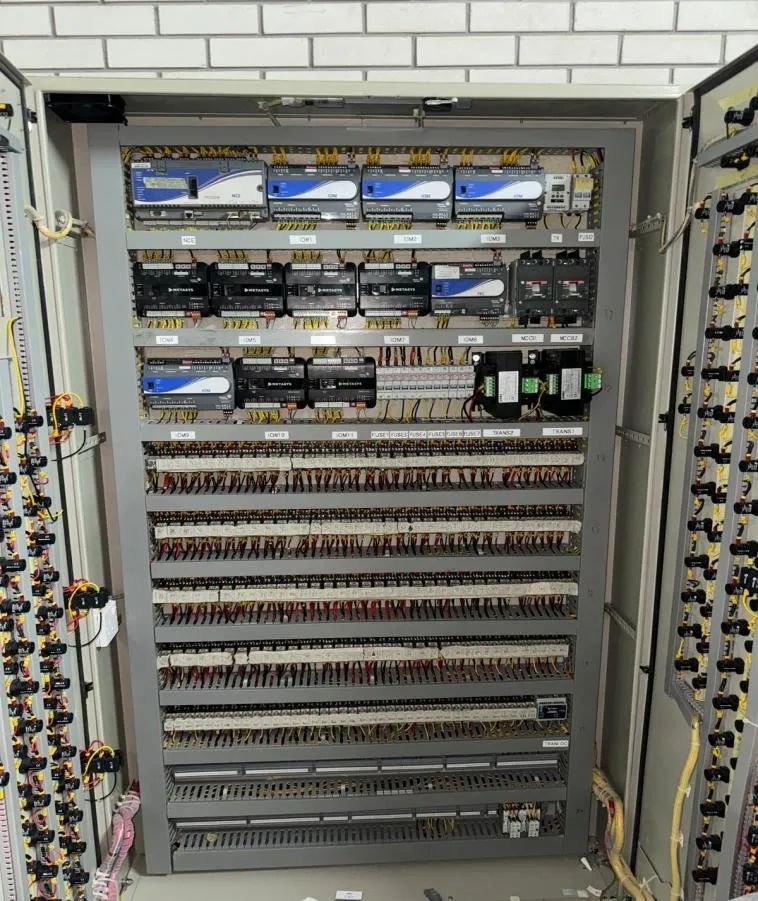

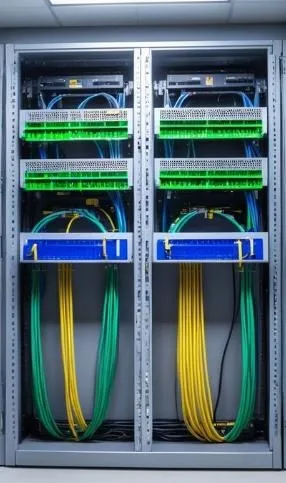
Computers change every three years. Switches change every five to seven. The cables in the walls stay for fifteen. That is why structured cabling is the one part of an office network where thinking ahead pays back many times. Rip-and-replace cabling after the ceilings and furniture are finished is slow, disruptive and costly. Getting it right at the start is surprisingly affordable.
This guide explains how structured cabling is organised, how to choose cable categories and fibre, how to design rack rooms for Kuwait's climate and what tests to ask for. It is aimed at owners, IT managers and consultants. Our telephone and data networks service covers what we install.
What "structured" means
Structured cabling is a standard, organised system of cables, connectors, panels and racks that supports many services over one infrastructure: computers, phones, Wi-Fi access points, cameras, door controllers and building systems. International standards such as ISO/IEC 11801, published by the ISO, and the TIA-568 series define the structure. The concept is summarised on Wikipedia's structured cabling page.
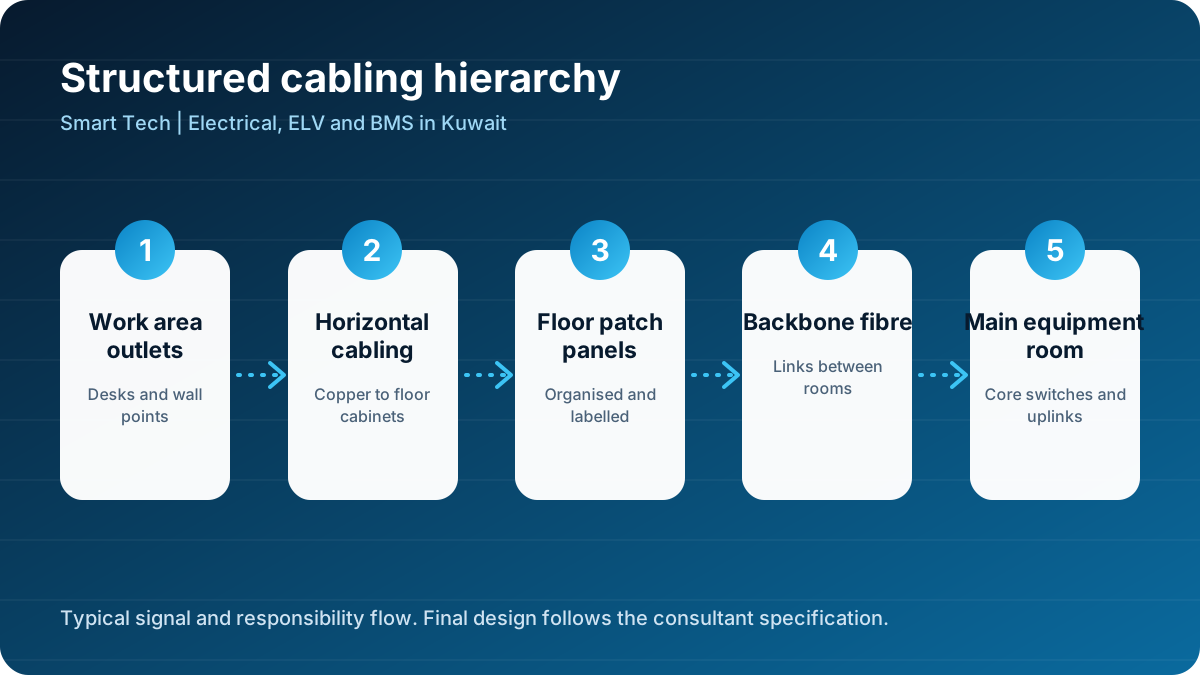
The system has a clear hierarchy.
- Work area outlets at desks and walls.
- Horizontal cabling, copper cables from outlets to the floor cabinet, limited to 90 metres of permanent link.
- Floor distributors, racks or cabinets with patch panels and switches.
- Backbone cabling, usually fibre, linking floors or buildings.
- Main equipment room, where core switches, servers, firewalls and external connections live.
This structure makes changes simple. Moving a person from one desk to another means moving a patch cord, not pulling a new cable.
Copper cable categories in plain language
| Category | Typical use | Notes |
|---|---|---|
| Cat5e | Older gigabit networks | Not recommended for new projects |
| Cat6 | Gigabit and limited 10 gigabit | Acceptable for budget projects |
| Cat6A | 10 gigabit to 100 metres | Best choice for new offices |
| Cat8 | Short data centre links | Not for general office use |
Cat6A cables are thicker and need more careful installation, with larger bend radius and more containment space. Plan tray sizes accordingly. Shielded or unshielded cable should be chosen based on the environment and the specification; either can perform well when properly installed and terminated.
Power over Ethernet
Cameras, phones, access points and door controllers often draw power through the data cable. Higher power levels generate heat in bundles of cable, so large PoE installations should use quality cable and sensible bundle sizes. See Wikipedia's Power over Ethernet page and our CCTV design guide.
Fibre optic: the backbone of the building
Fibre carries more data over longer distances and is not affected by electrical noise. In offices it is typically used for backbones between floor cabinets and the main room.
- Multimode fibre is used for shorter distances inside buildings. OM3 or OM4 are common today.
- Single-mode fibre covers longer distances between buildings or campuses and is future proof.
Install more fibre cores than you need today. The cable is cheap compared with the labour of pulling it, and spare cores allow upgrades and separate networks for security and building systems.
Designing the outlets
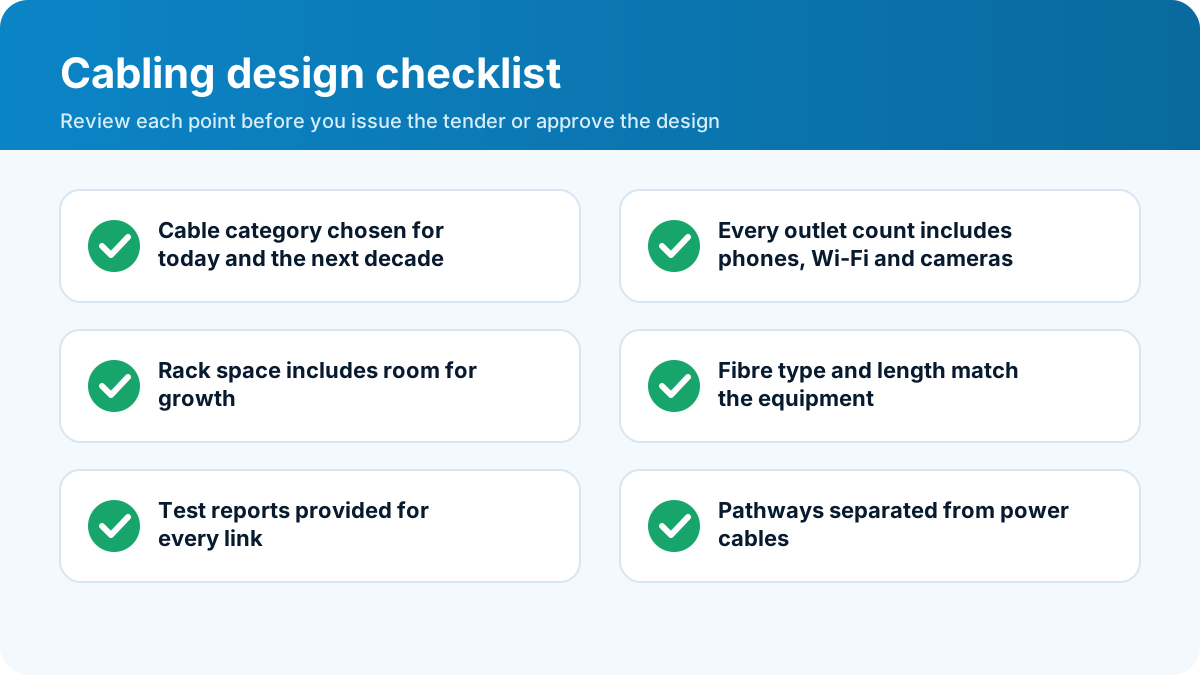
Count outlets by function, not only by desk.
- Workstations: at least two data outlets per desk.
- Wireless access points: one outlet in the ceiling for each planned access point, plus spare.
- Meeting rooms: outlets for displays, video conferencing and tables.
- Printers and copiers: dedicated outlets near their location.
- CCTV and access control: outlets at camera and door positions.
- Building systems: outlets for BMS controllers, lift communicators and fire alarm gateways where required.
- Future flexibility: spare outlets in zones where layout may change.
A short outlet schedule is one of the most valuable documents on a project. It prevents arguments later about whether a socket was ever included.
The rack room: design it like a small machine
The telecom room or rack room is the heart of the network. In Kuwait it needs special attention.
Cooling
Switches and servers generate heat that must be removed all year round. Use dedicated cooling that is independent of the office air conditioning schedule. Consider redundancy for critical rooms, and monitor room temperature with alarms. A hot room shortens the life of equipment and causes unexplained failures.
Power
Provide clean power from a dedicated circuit with a UPS for network equipment. Size the UPS for runtime that suits the building. Label every outlet and circuit.
Space and layout
- Leave front and rear access around racks.
- Plan cable management at the sides and in front of patch panels.
- Reserve at least 30 percent spare rack space for growth.
- Install overhead or underfloor containment with separation between power and data cables.
- Keep the room clean and locked, with access control and CCTV.
Grounding and bonding
Rack grounding protects equipment from static and fault currents. Follow the specification for bonding of racks, trays and shielded cabling.
Containment and pathways
Cables need good routes. Trays and conduits must be correctly sized and supported, with proper bend radius for the cable category. Keep data cables apart from power cables to avoid interference and follow the segregation distances in the standards. Seal penetrations through fire-rated walls and floors with approved fire stopping.
Installation quality
Installation quality matters more than any brand name. Look for:
- Cables pulled without kinks or tight bends.
- Cable ties used loosely and Velcro preferred for bundles.
- Terminations made correctly with the right tools and tested.
- Neat dressing inside racks and patch panels.
- Clear labelling on both ends of every cable.
- Documentation that shows what goes where.
Labelling and documentation
A cabling system without labels is a puzzle. Use a consistent scheme, for example floor-room-outlet number, and label outlets, cables, patch panel ports and racks. Keep a cable schedule in electronic form and update it with every change. Hand over an as-built drawing that shows outlet positions, tray routes and rack layouts, along with test reports.
Testing and certification
Every permanent link should be tested with a certified field tester. A test report lists length, wire map, attenuation, crosstalk and return loss against the chosen standard. Fibre links are tested for end-to-end loss and sometimes with an optical time domain reflectometer. Insist on:
- Test results for every link, not a sample.
- Pass or fail noted against the specification.
- Reports in electronic format, with tester calibration data.
- Retest after any rework.
These reports are your evidence if there is a dispute later, and they become the baseline for future troubleshooting. We cover wider acceptance tests in testing, commissioning and maintenance.
Wi-Fi and cabling
Good Wi-Fi depends on good cabling. Access points need cabled connections with PoE, placed according to a coverage plan, not at random. Concrete walls and metal partitions block signals, and Kuwait's solid construction often needs more access points than expected. A survey before installation, and verification afterwards, prevent complaints.
Cyber security considerations
Physical security affects network security. Lock the racks, restrict access to the rack room, disable unused ports and separate networks for office, guests, cameras and building systems. A connected camera or door controller is just another device on the network and deserves the same care as a computer. See our ELV overview for the bigger picture.
Typical office scenarios in Kuwait
Small office or clinic
One rack or wall cabinet, a few dozen outlets, a fibre or broadband connection and a small UPS. Farwaniya has many buildings of this size. See Farwaniya.
Medium office floor
A floor cabinet with patch panels, two to four switches, wireless access points and links back to a main room. Many tenant fit-outs in Kuwait City follow this pattern.
Campus or multi-building site
Fibre backbones between buildings, redundant paths and a main equipment room with room for growth. Schools and institutional campuses often need this. See Al Jahra and Al Ahmadi and Fahaheel.
Retail, restaurant and mixed use
Point-of-sale outlets, wireless, CCTV and music. Hawalli and Salmiya have many such premises.
Planning for growth: what will an office need in ten years?
Ten years ago, few offices counted wireless access points, IP cameras, door controllers and video conferencing screens as network users. Today they are standard, and the list will grow. When you plan cabling, think about devices and not only desks.
- Wireless density. Wi-Fi standards keep increasing speed, and each access point can need multi-gigabit uplinks. Cat6A supports this comfortably.
- Cameras and sensors. IP cameras, occupancy sensors and environmental sensors all connect to the network, often with PoE.
- Digital signage and displays. Screens in lobbies and meeting rooms use data cabling.
- Building systems. BMS controllers, lighting gateways and energy meters connect to the same infrastructure, as described in our BMS guide.
- Hybrid work. Meeting rooms need high-quality video and audio equipment that depends on reliable cabling.
If budget is tight, install the pathways and the backbone fully, and add outlets later where needed. Containment, fibre and rack space are the hardest things to add after the building is finished, while outlets and patch cords are the easiest.
Working with the interior designer and the landlord
Cabling touches finishes, so coordinate early. Agree the positions of floor boxes and wall outlets with the interior designer, so that they fall under desks and not in the middle of walkways. Check ceiling heights and tile layouts for access points. If you are a tenant, read the lease and the building's rules: the landlord may specify risers, approved contractors, fire stopping and out-of-hours working. Ask for riser space and rack room access in writing before you order equipment, and keep copies of the approvals with the as-built drawings.
Copper or fibre to the desk?
Some organisations consider running fibre to every desk. Fibre can deliver very high speeds and avoids electrical interference, but most office devices still use copper ports, and power over Ethernet only works on copper. For most offices, Cat6A copper to the desk and fibre in the backbone gives the best balance of cost, flexibility and performance. Fibre to the desk makes sense in special cases, such as laboratories with heavy electrical noise, secure facilities and future-proofed headquarters where the budget supports it. Whatever you choose, document the decision and the reasons, so that future managers understand why the design looks the way it does.
Cleaning up an existing network
Many Kuwaiti offices have grown organically. Extra cables were added when a team moved, a switch was placed under a desk and nobody knows which outlet is live. Cleaning up such a network is possible without a full rebuild. Start with a survey of outlets, patch panels and cables. Test the cables that remain, label everything and remove abandoned cable where it is safe to do so. Move switches into a proper rack with cooling and power protection. Replace the worst cable runs first, particularly those that fail testing or exceed length limits. Finally, create a simple diagram and keep it up to date. Even a modest clean-up reduces faults, speeds up changes and prepares the office for the next upgrade.
Budgeting and common mistakes
Cabling is usually a small percentage of a project but it is the most expensive part to fix later. Common mistakes include:
- Too few outlets. Add extras now.
- Under-sized containment. Cat6A needs space.
- No rack room cooling. Equipment fails early.
- No spare fibre. Upgrades become expensive.
- Poor labelling. Troubleshooting takes hours.
- No test reports. There is no proof of quality.
- Mixing power and data in the same tray without separation.
Work with us
If you are fitting out an office, upgrading a network or building a campus, send us your layout and requirements. We will prepare an outlet schedule, rack design and a clear quotation that includes testing and documentation. Use our quote form or call +965-51133630. You can also explore our low current systems and the full list of services.
Structured cabling is the quiet infrastructure behind every email, video call and camera feed. Design it for the next fifteen years, and the next three network upgrades will be easy.
Frequently asked questions
Should a new office use Cat6 or Cat6A?
Cat6A supports 10 gigabit Ethernet over the full 100 metre channel and has better interference performance, so it is the safer long-term choice for new offices. Cat6 is acceptable where budgets are tight and 10 gigabit is not needed.
When do I need fibre optic cable?
Use fibre for backbones between rooms or floors, for long runs over 90 metres and wherever electrical noise or high speed demand it.
How many network outlets does each desk need?
A common approach is two or more data outlets per workstation, plus extra outlets for printers, meeting rooms, wireless access points, cameras and door controllers.
How long does structured cabling last?
Good structured cabling can serve for 10 to 15 years or more, which is why it should be designed for future needs and not only for today's equipment.
What should be tested after installation?
Every copper link should be certified with a field tester against the chosen standard, and every fibre link should be tested for loss. Test reports should be handed to the owner.