
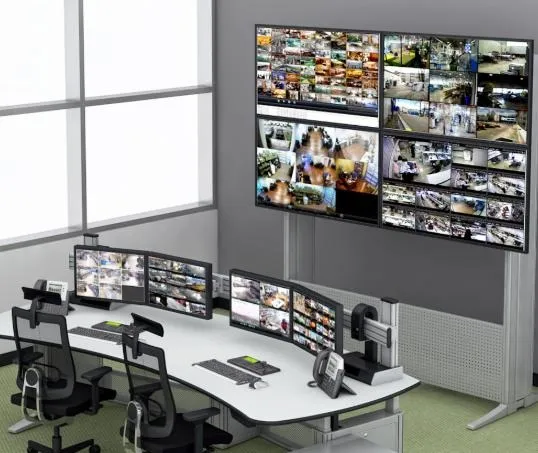
Most people picture CCTV as a screen full of small pictures. Security professionals picture something else: a question. What do we need to see, and what will we do with the footage? If you can answer that question before you buy a single camera, your system will be cheaper, clearer and far more useful than one chosen from a catalogue.
This guide walks through every decision in a modern IP CCTV system: camera types, placement, resolution, lighting, network, storage, software, cyber security and maintenance. It is aimed at owners and consultants in Kuwait who want a system that works on the day it is needed. Our CCTV surveillance service page gives an overview of what we install.
Start with the purpose, not the product
Write down the purposes of the system. Typical examples are:
- Deterrence, so that people see cameras and think twice.
- Detection, so that staff know when someone enters a restricted area.
- Identification, so that you can recognise a face or read a number plate afterwards.
- Evidence, so that incidents can be reviewed and exported.
- Operations, such as monitoring queues, deliveries or machinery.
Each purpose needs different image quality. A camera that only needs to detect movement in a yard can be wide and low resolution. A camera that must identify a face at a door needs more pixels on the face, good lighting and the right angle. International standards for video surveillance, such as the IEC 62676 series published by the IEC, use this idea of different operational requirements, and the overview on Wikipedia's CCTV page is a handy introduction.
Camera types and where they fit
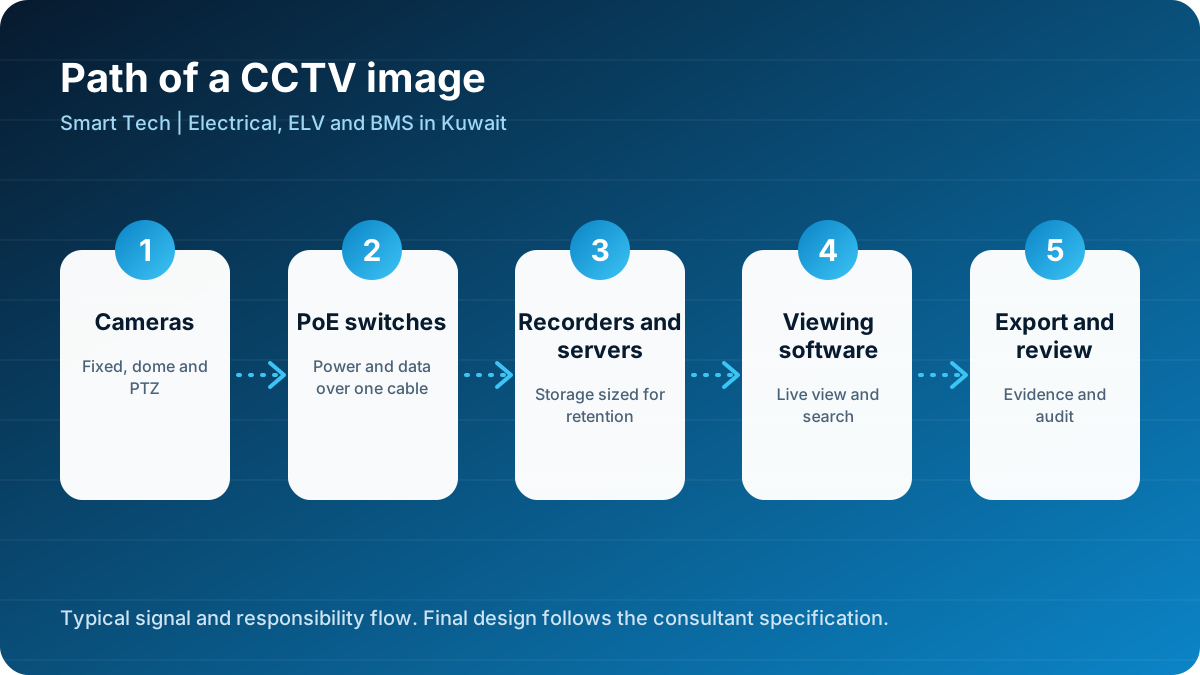
Fixed bullet cameras. Visible, weather resistant and good for outdoor walls, car parks and perimeters. Their visibility helps deterrence.
Fixed dome cameras. Discreet and vandal resistant. They suit lobbies, corridors, shops and offices. It is harder for a person to see which way a dome is pointing.
PTZ cameras. Pan, tilt and zoom cameras can cover a large area and follow a subject, but only one view at a time. They are ideal for yards, ports and car parks, usually combined with fixed cameras that watch the same area continuously.
Multi-sensor panoramic cameras. Several lenses in one housing cover a wide area with no blind spots. Useful for large open spaces.
Specialist cameras. Number plate recognition cameras, thermal cameras for perimeter detection and explosion-proof cameras for hazardous areas are all available for the right job.
How to choose resolution without wasting money
More pixels are not always better. High resolution cameras produce bigger files, need more storage and more network capacity. A useful rule is to think in terms of pixels per metre on the target. Identification of a person requires more pixel density than simple detection. Ask your supplier to show a calculation for each critical camera instead of a general promise such as 4K.
Other features matter as much as resolution:
- Wide dynamic range (WDR). Entrances in Kuwait are often bright outside and dark inside. WDR balances the two so faces are not silhouettes.
- Low-light performance. Larger sensors and better lenses give cleaner night images.
- Frame rate. Fast moving scenes such as a car park entrance need more frames per second than a quiet corridor.
- Compression. Modern compression such as H.265 reduces storage, provided the recorder supports it.
Placement: the details that decide the picture
Placement problems are the most common reason a CCTV system disappoints. Consider these points for every camera.
- Height and angle. Too high and you see the top of heads. Too low and the camera is easy to tamper with. For face identification, mount around 2.5 to 3 metres and angle slightly down at the entrance path.
- Backlighting. Do not point cameras at bright windows, open doors or the setting sun.
- Obstructions. Check for signs, trees, columns and shelving that will block the view. Stock racks move, so plan for it.
- Reflections. Cameras behind glass pick up reflections from their own infrared lights.
- Heat and dust. Outdoor housings should be suitably rated, shaded and cleaned regularly. In Kuwait's summer, direct sun on a camera body can cause overheating.
- Reach. Cameras that can be reached by hand can be knocked or covered. Use vandal-resistant models or higher mounting.
Lighting: the camera's best friend
A camera is only as good as the light it receives. Infrared illumination gives black and white pictures at night, but colour footage is more useful for describing clothing and vehicles. Where it matters, add or improve scene lighting at entrances, car parks and loading areas. Simple LED floodlights on photocell or timer, or a connection to the building's lighting control system, can make a large difference.
Network design for CCTV
Modern IP cameras are network devices, and treating them like any other office computer is a mistake.
- Use Power over Ethernet (PoE). One cable carries power and data, which simplifies installation. The standard is explained on Wikipedia's Power over Ethernet page. Make sure the switch's total power budget exceeds the combined camera load with headroom.
- Respect cable limits. Standard copper Ethernet is limited to 100 metres. Beyond that, use fibre or a suitably placed switch in a protected enclosure.
- Separate the CCTV network. Place cameras and recorders on their own network segment or VLAN so that a problem on the office network cannot reach the cameras and the reverse.
- Plan the bandwidth. Add up the bitrate of each camera and make sure uplinks between switches and the recorder can carry it with margin.
- Use quality cable. Solid copper, correct category and proper terminations. Poor cable causes random dropouts that are very difficult to trace. Our telephone and data network service and the article on structured cabling explain good practice.
Storage: do the maths before you buy
Storage is calculated from the number of cameras, resolution, frame rate, compression and retention days. Ask for a written calculation. Underestimating storage is a classic mistake: the system works well for two weeks and then overwrites evidence sooner than the owner expects.
- Choose recorders and disks designed for continuous surveillance use.
- Use redundancy such as RAID so that a single disk failure does not lose footage.
- Consider off-site or secondary storage for critical sites.
- Set up alerts for disk faults and recording failures. A recorder that stopped three weeks ago is worse than no recorder, because everyone believes they are protected.
Software and viewing
A video management system (VMS) lets operators search, review and export footage. Look for a clear timeline search, event bookmarks, export with a tamper-evident player and reasonable user roles. Features that save time include motion search in a selected area, line crossing detection and number plate search, but only if they are tested on your own scenes.
Cyber security: the part that gets forgotten
Cameras have been used in large online attacks because many were installed with default passwords and exposed to the internet. Treat security as part of the design.
- Change every default password and use unique credentials for every device group.
- Do not expose cameras directly to the internet. Use a secure remote access method such as a VPN or a vendor-managed secure connection.
- Keep firmware updated and record the version of each device.
- Disable services you do not use. Unused protocols are unused risks.
- Create user roles. An operator should not have administrator rights.
- Review access logs from time to time.
Guidance on securing connected devices is published by national cyber agencies such as CISA, and the same principles apply in Kuwait.
Privacy and responsible use
CCTV records people. Owners should be clear about where cameras are, why they are there and who can see the footage. Place signs at entrances, avoid pointing cameras into private areas such as toilets, changing rooms or neighbours' homes, and restrict access to footage. Write a short policy that sets retention time and explains how footage is exported. Follow any applicable local rules for your type of premises.
CCTV for different types of site
Retail shops and restaurants
Concentrate on the entrance, the cash point, the stockroom and the delivery door. Use cameras with wide dynamic range at the entrance. Hawalli and Salmiya have many busy retail streets where cameras at the door and till are the priority. See our page on Hawalli and Salmiya.
Offices and clinics
Focus on reception, corridors and exits rather than inside meeting rooms. Link CCTV with access control so that door events can be matched with video. Farwaniya has many mixed-use buildings and clinics where this approach works well. See Farwaniya.
Villas and compounds
Cover gates, driveways, walls and entrances. Use clear signs and well lit approaches, and consider combining CCTV with home automation so lights switch on when a camera detects movement. See our article on villa automation and Al Jahra for local context.
Warehouses, yards and industrial sites
Use fewer cameras with wider coverage, supported by PTZ cameras and strong lighting. Industrial sites in Al Ahmadi and Fahaheel benefit from rugged equipment and a clear maintenance plan.
Large public buildings and transport
Large venues require integrated systems, strict documentation and careful coordination with other trades. See the examples on our projects page, including the Jazeera Airways terminal.
Design checklist before you approve a CCTV system
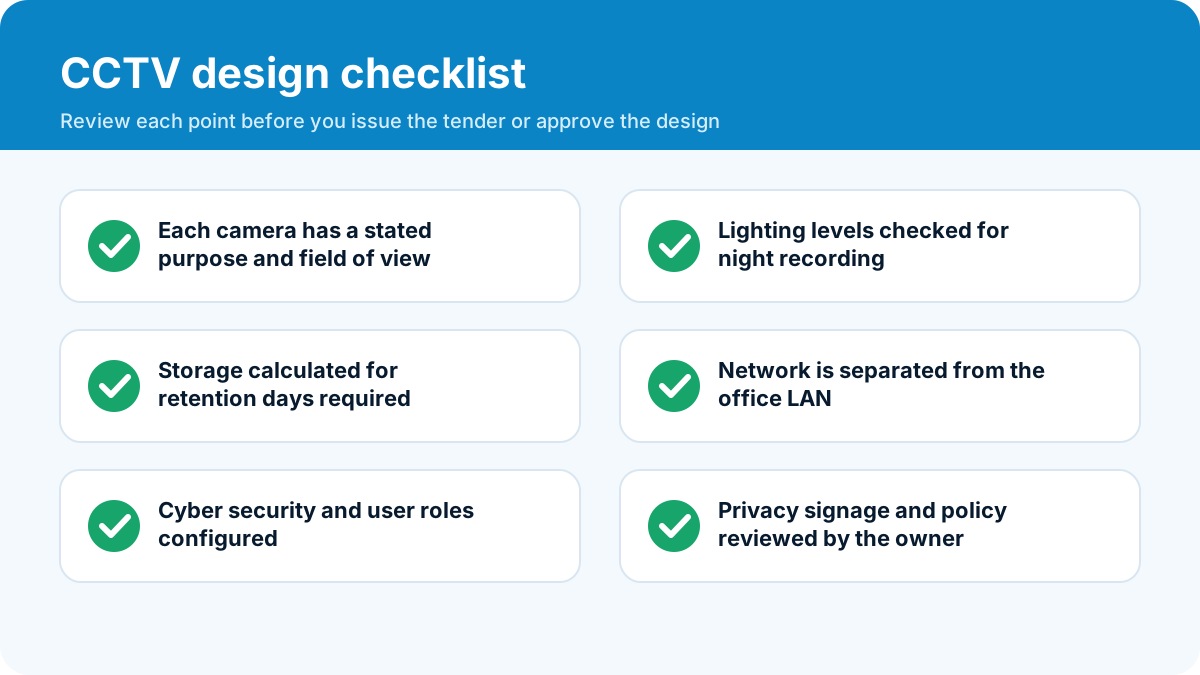
Use this list when reviewing a proposal.
- Is there a camera schedule that states the purpose and field of view of each camera?
- Has lighting been checked for night operation?
- Is storage calculated for the retention period you need?
- Is the CCTV network separated and protected?
- Are cyber security measures described?
- Who is responsible for maintenance after handover?
Installation and commissioning
During installation, the quality of workmanship decides reliability. Cables should be labelled at both ends, tested and neatly dressed. Cameras should be fixed securely with weatherproof glands and sealed junctions outdoors. After installation, commissioning means setting focus, exposure, motion zones, recording schedules and user accounts, and checking each camera's view against the design. Walk the site with the owner and agree that each camera shows what was intended. Handover should include a camera list, IP address schedule, passwords stored securely, manuals and training.
Maintenance that keeps the system honest
- Weekly: check that all cameras are online and recording and that the time is correct.
- Monthly: review disk health and run a test export.
- Quarterly: clean lenses and housings, check mounting and cable glands.
- Annually: review focus and field of view, update firmware, review users and test backup power.
In Kuwait, dust build-up on lenses and domes is the most common cause of poor pictures in the dry season, so cleaning schedules matter.
How to compare CCTV quotations
Lower price does not always mean lower value. Compare:
- Camera models and lens types, not just quantity.
- Recorder capacity and retention days.
- Cable type and whether containment is included.
- Network switches and whether PoE capacity is adequate.
- Software licences and any annual fees.
- Testing, training and warranty terms.
Planning for the day the footage is needed
Most owners only open their CCTV system after an incident. Prepare for that day in advance. Decide who is allowed to export footage and how the request is recorded. Make sure the recorder clock is correct, because a wrong time stamp can weaken the evidence. Test the export function at least once a quarter, using the same player that the police or insurer would use. Keep a simple log of when footage was exported, by whom and why. When the moment arrives, these small habits turn a stressful search into a calm, five-minute task.
Talk to our team
Send us your site plan or a description of what you need to see, and we will propose a camera schedule, a storage calculation and a clear quotation. Request a quote with our quote form or call +965-51133630. You can also browse our wider range of security systems and all services.
A good CCTV system disappears into daily life until the day you need it. On that day, it should show you exactly what you need to see.
Frequently asked questions
How many cameras does a shop or office need?
There is no fixed number. Start by listing what you need to see: entrances, cash points, stock areas, corridors and car parks. Each camera should have a clear purpose. A small shop may need four to eight cameras, an office floor more, and a warehouse fewer cameras with wider coverage.
How long should CCTV footage be stored?
It depends on the owner's policy and any rules that apply to the site. Many commercial sites keep 30 days. Storage size is calculated from camera count, resolution, frame rate and compression, so decide the retention period first.
Is IP CCTV better than analogue?
For new systems, IP cameras are the normal choice because they give better image quality, use standard network cabling and support analytics. Analogue HD can still make sense when reusing existing coax cable in a retrofit.
Can I view cameras from my phone?
Yes, but remote access must be set up securely using a protected connection, strong passwords and user roles. Opening ports on a router without protection is a common cause of compromise.
Do CCTV cameras need lighting at night?
Yes. Infrared and low-light cameras help, but good scene lighting improves detail and colour. A lighting check is part of any proper CCTV design.